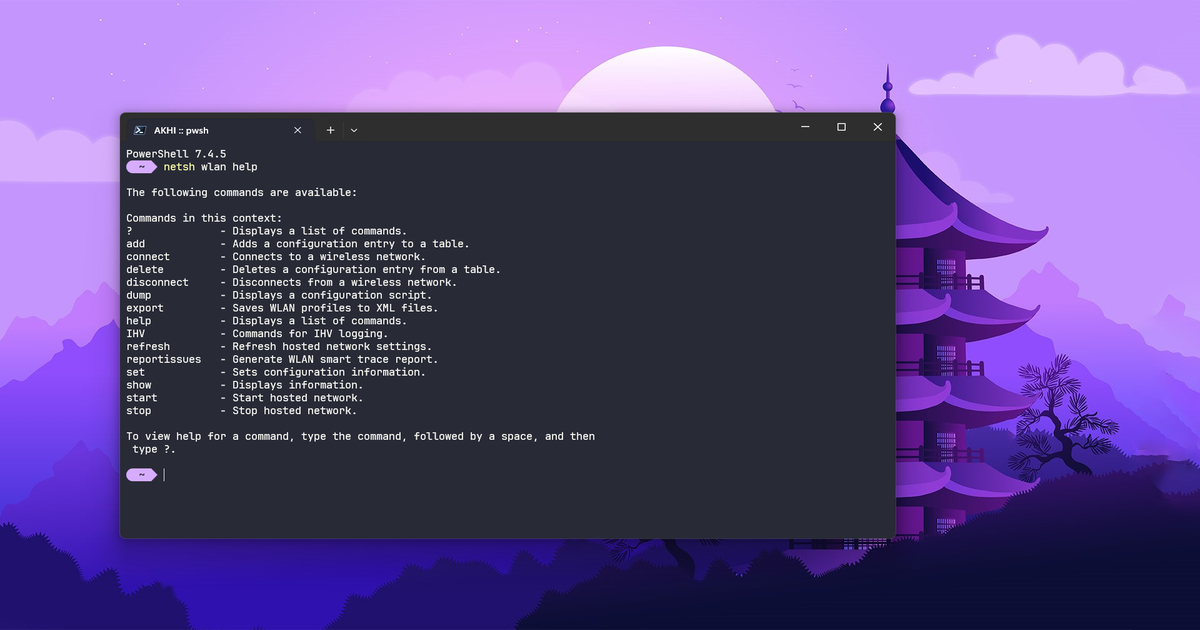
<?xml version="1.0" encoding="utf-8"?><feed xmlns="http://www.w3.org/2005/Atom" ><generator uri="https://jekyllrb.com/" version="4.4.1">Jekyll</generator><link href="neo-log.pages.dev/feed.xml" rel="self" type="application/atom+xml" /><link href="neo-log.pages.dev/" rel="alternate" type="text/html" /><updated>2026-07-29T14:38:13-07:00</updated><id>neo-log.pages.dev/feed.xml</id><title type="html">akhi07rx’s Blog</title><subtitle>osh</subtitle><entry><title type="html">Recover Wi-Fi Password Using CMD, Windows PowerShell</title><link href="neo-log.pages.dev/2023/06/23/recover-wifi-password-usincmd-or-powershell" rel="alternate" type="text/html" title="Recover Wi-Fi Password Using CMD, Windows PowerShell" /><published>2023-06-23T17:00:00-07:00</published><updated>2023-06-23T17:00:00-07:00</updated><id>neo-log.pages.dev/2023/06/23/recover-wifi-password-usincmd-or-powershell</id><content type="html" xml:base="neo-log.pages.dev/2023/06/23/recover-wifi-password-usincmd-or-powershell"><![CDATA[<p><a href="/assets/images/posts/2023/netsh_help.png"><img src="/assets/images/posts/2023/netsh_help.png" alt="Netsh Help" /></a></p>

<h2 id="introduction">Introduction</h2>

<p>This guide will show you how to use Windows PowerShell and Command Prompt to retrieve a Wi-Fi password on a Windows PC.  the instructions and procedures required to recover the password for a specific network or to locate all saved Wi-Fi passwords. 
more on <a href="https://github.com/akhi07rx/WIFI-Password-Recovery">GitHub</a>.</p>

<h3 id="reveal-target-wi-fi-password">Reveal Target Wi-Fi Password</h3>

<p>First, we must uncover the target Wi-Fi network to display the corresponding password. To accomplish this, open the Windows Command Prompt window and input the subsequent command to exhibit all Wi-Fi networks that your computer has previously connected to:</p>

<div class="language-bash highlighter-rouge"><div class="highlight"><pre class="highlight"><code>netsh wlan show profile
</code></pre></div></div>

<p>With the Wi-Fi network profiles visible, enter the following command, replacing <code class="language-plaintext highlighter-rouge">WIFI-NAME-PROFILE</code> (leave the quotes) with the profile for which you want to see the password:</p>

<div class="language-bash highlighter-rouge"><div class="highlight"><pre class="highlight"><code>netsh wlan show profile “WIFI-NAME-PROFILE” <span class="nv">key</span><span class="o">=</span>clear
</code></pre></div></div>

<p>To only show the Wi-Fi password for that target wireless network profile, enter the following command:</p>

<div class="language-bash highlighter-rouge"><div class="highlight"><pre class="highlight"><code>netsh wlan show profile “WIFI-NAME-PROFILE” <span class="nv">key</span><span class="o">=</span>clear | findstr “Key Content”
</code></pre></div></div>

<h3 id="reveal-all-wi-fi-passwords">Reveal All Wi-Fi Passwords</h3>

<p>The subsequent command will display all saved Wi-Fi networks along with their corresponding Wi-Fi passwords:</p>

<p>CMD:</p>

<div class="language-bash highlighter-rouge"><div class="highlight"><pre class="highlight"><code><span class="k">for</span> /f <span class="s2">"skip=9 tokens=1,2 delims=:"</span> %i <span class="k">in</span> <span class="o">(</span><span class="s1">'netsh wlan show profiles'</span><span class="o">)</span> <span class="k">do</span> @if <span class="s2">"%j"</span> NEQ <span class="s2">""</span> <span class="o">(</span><span class="nb">echo </span>SSID: %j &amp; netsh wlan show profiles %j <span class="nv">key</span><span class="o">=</span>clear | findstr <span class="s2">"Key Content"</span><span class="o">)</span> &amp; echo.
</code></pre></div></div>

<p>PowerShell:</p>

<div class="language-powershell highlighter-rouge"><div class="highlight"><pre class="highlight"><code><span class="n">netsh</span><span class="w"> </span><span class="nx">wlan</span><span class="w"> </span><span class="nx">show</span><span class="w"> </span><span class="nx">profiles</span><span class="w"> </span><span class="o">|</span><span class="w"> </span><span class="n">Select-String</span><span class="w"> </span><span class="nt">-Pattern</span><span class="w"> </span><span class="s2">"Profile\s*:\s*(.+)$"</span><span class="w"> </span><span class="o">|</span><span class="w"> </span><span class="n">ForEach-Object</span><span class="w"> </span><span class="p">{</span><span class="w"> </span><span class="nv">$ssid</span><span class="w"> </span><span class="o">=</span><span class="w"> </span><span class="bp">$_</span><span class="o">.</span><span class="nf">Matches</span><span class="o">.</span><span class="n">Groups</span><span class="p">[</span><span class="mi">1</span><span class="p">]</span><span class="o">.</span><span class="nf">Value</span><span class="p">;</span><span class="w"> </span><span class="n">Write-Host</span><span class="w"> </span><span class="s2">"SSID: </span><span class="nv">$ssid</span><span class="s2">"</span><span class="p">;</span><span class="w"> </span><span class="n">netsh</span><span class="w"> </span><span class="nx">wlan</span><span class="w"> </span><span class="nx">show</span><span class="w"> </span><span class="nx">profiles</span><span class="w"> </span><span class="s2">"</span><span class="nv">$ssid</span><span class="s2">"</span><span class="w"> </span><span class="nx">key</span><span class="o">=</span><span class="n">clear</span><span class="w"> </span><span class="o">|</span><span class="w"> </span><span class="n">Select-String</span><span class="w"> </span><span class="nt">-Pattern</span><span class="w"> </span><span class="s2">"Key Content\s*:\s*(.+)$"</span><span class="w"> </span><span class="o">|</span><span class="w"> </span><span class="n">ForEach-Object</span><span class="w"> </span><span class="p">{</span><span class="w"> </span><span class="n">Write-Host</span><span class="w"> </span><span class="s2">"    Key Content : </span><span class="si">$(</span><span class="bp">$_</span><span class="o">.</span><span class="nf">Matches</span><span class="o">.</span><span class="n">Groups</span><span class="p">[</span><span class="mi">1</span><span class="p">]</span><span class="o">.</span><span class="nf">Value</span><span class="si">)</span><span class="s2">"</span><span class="w"> </span><span class="p">};</span><span class="w"> </span><span class="n">Write-Host</span><span class="w"> </span><span class="s2">""</span><span class="w"> </span><span class="p">}</span><span class="w">
</span></code></pre></div></div>

<p>You can also save all of those Wi-Fi network details shown using the command above to a text document using the following command:</p>

<div class="language-powershell highlighter-rouge"><div class="highlight"><pre class="highlight"><code><span class="p">(</span><span class="n">netsh</span><span class="w"> </span><span class="nx">wlan</span><span class="w"> </span><span class="nx">show</span><span class="w"> </span><span class="nx">profiles</span><span class="p">)</span><span class="w"> </span><span class="o">|</span><span class="w"> </span><span class="n">Select-String</span><span class="w"> </span><span class="s2">"All User Profile"</span><span class="w"> </span><span class="o">|</span><span class="w"> </span><span class="n">ForEach-Object</span><span class="w"> </span><span class="p">{</span><span class="w">
    </span><span class="nv">$ssid</span><span class="w"> </span><span class="o">=</span><span class="w"> </span><span class="bp">$_</span><span class="o">.</span><span class="nf">Line</span><span class="o">.</span><span class="nf">Split</span><span class="p">(</span><span class="s1">':'</span><span class="p">)[</span><span class="mi">1</span><span class="p">]</span><span class="o">.</span><span class="nf">Trim</span><span class="p">()</span><span class="w">
    </span><span class="nv">$profile</span><span class="w"> </span><span class="o">=</span><span class="w"> </span><span class="p">(</span><span class="n">netsh</span><span class="w"> </span><span class="nx">wlan</span><span class="w"> </span><span class="nx">show</span><span class="w"> </span><span class="nx">profile</span><span class="w"> </span><span class="nx">name</span><span class="o">=</span><span class="nv">$ssid</span><span class="w"> </span><span class="n">key</span><span class="o">=</span><span class="n">clear</span><span class="p">)</span><span class="w">
    </span><span class="nv">$passwordLine</span><span class="w"> </span><span class="o">=</span><span class="w"> </span><span class="nv">$profile</span><span class="w"> </span><span class="o">|</span><span class="w"> </span><span class="n">Select-String</span><span class="w"> </span><span class="s2">"Key Content"</span><span class="w">
    </span><span class="kr">if</span><span class="w"> </span><span class="p">(</span><span class="nv">$passwordLine</span><span class="w"> </span><span class="o">-ne</span><span class="w"> </span><span class="bp">$null</span><span class="p">)</span><span class="w"> </span><span class="p">{</span><span class="w">
        </span><span class="nv">$password</span><span class="w"> </span><span class="o">=</span><span class="w"> </span><span class="nv">$passwordLine</span><span class="o">.</span><span class="nf">Line</span><span class="o">.</span><span class="nf">Split</span><span class="p">(</span><span class="s1">':'</span><span class="p">)[</span><span class="mi">1</span><span class="p">]</span><span class="o">.</span><span class="nf">Trim</span><span class="p">()</span><span class="w">
        </span><span class="s2">"SSID: </span><span class="nv">$ssid</span><span class="se">`n</span><span class="s2">Password: </span><span class="nv">$password</span><span class="se">`n</span><span class="s2">"</span><span class="w">
    </span><span class="p">}</span><span class="w">
</span><span class="p">}</span><span class="w"> </span><span class="o">|</span><span class="w"> </span><span class="n">Out-File</span><span class="w"> </span><span class="nt">-FilePath</span><span class="w"> </span><span class="s2">"</span><span class="nv">$</span><span class="nn">env</span><span class="p">:</span><span class="nv">USERPROFILE</span><span class="s2">\Desktop\wifipass.txt"</span><span class="w">
</span></code></pre></div></div>

<p><strong>Note:</strong> Replace <code class="language-plaintext highlighter-rouge">wifipass.txt</code> at the end of the above command to customize the file name which will be saved.</p>

<h3 id="create-a-windows-batch-file">Create a Windows Batch File</h3>

<p>You can create a Windows batch file to show all Wi-Fi network passwords or just download the one provided in this repository.</p>

<p>To create a batch file, open a text editor and paste in the following code:</p>

<div class="language-bash highlighter-rouge"><div class="highlight"><pre class="highlight"><code>@echo off
setlocal enabledelayedexpansion

<span class="k">for</span> /f <span class="s2">"tokens=2 delims=:"</span> %%a <span class="k">in</span> <span class="o">(</span><span class="s1">'netsh wlan show profile ^| findstr ":"'</span><span class="o">)</span> <span class="k">do</span> <span class="o">(</span>
    <span class="nb">set</span> <span class="s2">"ssid=%%~a"</span>
    call :getpwd <span class="s2">"%%ssid:~1%%"</span>
<span class="o">)</span>

echo.
<span class="nb">echo </span>Press any key to exit...
pause <span class="o">&gt;</span> nul
<span class="nb">exit</span>

:getpwd
<span class="nb">set</span> <span class="s2">"ssid=%*"</span>

<span class="k">for</span> /f <span class="s2">"tokens=2 delims=:"</span> %%i <span class="k">in</span> <span class="o">(</span><span class="s1">'netsh wlan show profile name^="%ssid:"=%" key^=clear ^| findstr /C:"Key Content"'</span><span class="o">)</span> <span class="k">do</span> <span class="o">(</span>
    <span class="nb">echo </span>SSID: %ssid% PASS: %%i
<span class="o">)</span>

</code></pre></div></div>

<p>Save the file with a <code class="language-plaintext highlighter-rouge">.bat</code> extension, such as <code class="language-plaintext highlighter-rouge">show_wifi_pass.bat</code>. To run the batch file, simply double-click on it.</p>

<p>This batch file will run the command to show all stored Wi-Fi networks and their associated Wi-Fi passwords. It will also pause at the end so you can view the results.</p>

<h3 id="troubleshooting">Troubleshooting</h3>

<p>If you encounter any issues while following the steps in this guide, here are some troubleshooting tips that may help:</p>

<ul>
  <li>
    <p>Make sure you are running the commands in a Windows Command Prompt window with administrative privileges. To do this, right-click on the Command Prompt icon and select “Run as administrator”.</p>
  </li>
  <li>
    <p>If you are having trouble creating or running a batch file, make sure the file has a <code class="language-plaintext highlighter-rouge">.bat</code> extension and that you have permission to run it.</p>
  </li>
</ul>

<p>If you continue to have issues, please feel free to open an issue in this repository or seek help from online forums or communities.</p>

<h3 id="additional-resources">Additional Resources</h3>

<p>If you would like to learn more about managing wireless networks on Windows, here are some additional resources that may be helpful:</p>

<ul>
  <li><a href="https://docs.microsoft.com/en-us/windows-server/networking/technologies/netsh/netsh">Microsoft’s documentation on the <code class="language-plaintext highlighter-rouge">netsh</code> command</a></li>
  <li><a href="https://docs.microsoft.com/en-us/windows-server/administration/windows-commands/windows-commands">Windows Command Line reference</a></li>
  <li><a href="https://support.microsoft.com/en-us/windows/connect-to-a-wi-fi-network-in-windows-10-1a3c1c0e-7b55-80a9-5a7f-f35d0d1f3d2c">Wireless networking on Windows</a></li>
</ul>

<p>These resources provide more detailed information about the <code class="language-plaintext highlighter-rouge">netsh</code> command and other tools for managing wireless networks on Windows.</p>

<h3 id="acknowledgment">Acknowledgment</h3>

<p>We would like to acknowledge and thank the authors and creators of the additional resources listed in this guide. Your work has provided valuable information and guidance for users looking to learn more about managing wireless networks on Windows. This code was developed with help from various online resources, including documentation for the netsh command, Windows Command Line reference, and Wireless networking on Windows. We would like to thank all contributors who have shared their knowledge and expertise with us. Thank you for your contributions to the community.</p>]]></content><author><name></name></author><summary type="html"><![CDATA[]]></summary></entry><entry><title type="html">A Fresh Start</title><link href="neo-log.pages.dev/2022/12/31/new-blog-new-format" rel="alternate" type="text/html" title="A Fresh Start" /><published>2022-12-31T22:30:00-08:00</published><updated>2022-12-31T22:30:00-08:00</updated><id>neo-log.pages.dev/2022/12/31/new-blog-new-format</id><content type="html" xml:base="neo-log.pages.dev/2022/12/31/new-blog-new-format"><![CDATA[<p>Hello, world.</p>

<p>Welcome to my corner of the internet.</p>

<p>For years, I’ve enjoyed exploring technology, photography, books, self-hosting, automation, and countless side projects. Along the way I’ve accumulated notes, experiments, solutions to problems, and plenty of things worth documenting. Rather than letting them disappear into folders and bookmarks, I decided to create a place to share them.</p>

<p>This blog is built with Jekyll and hosted on GitHub Pages. I wanted something simple, fast, and easy to maintain—something that would let me focus on writing rather than managing infrastructure.</p>

<p>The site is based on a repository created by Fareed Zakaria, which I have modified and adapted for my own use. Many thanks to Fareed for making the project available and providing a solid foundation to build upon.</p>

<p>The minimalist design is also heavily inspired by Drew DeVault’s blog and his advocacy for independent blogging. His writing helped convince me that a personal website doesn’t need to be complicated to be useful.</p>

<p>While this site started from existing work, I’ve customized it to suit my own preferences and will continue improving it as I learn more.</p>

<p>You can find the source code for my version of the site on GitHub.</p>

<p>Thanks for stopping by.</p>

<!--more-->]]></content><author><name></name></author><summary type="html"><![CDATA[Hello, world. Welcome to my corner of the internet. For years, I’ve enjoyed exploring technology, photography, books, self-hosting, automation, and countless side projects. Along the way I’ve accumulated notes, experiments, solutions to problems, and plenty of things worth documenting. Rather than letting them disappear into folders and bookmarks, I decided to create a place to share them. This blog is built with Jekyll and hosted on GitHub Pages. I wanted something simple, fast, and easy to maintain—something that would let me focus on writing rather than managing infrastructure. The site is based on a repository created by Fareed Zakaria, which I have modified and adapted for my own use. Many thanks to Fareed for making the project available and providing a solid foundation to build upon. The minimalist design is also heavily inspired by Drew DeVault’s blog and his advocacy for independent blogging. His writing helped convince me that a personal website doesn’t need to be complicated to be useful. While this site started from existing work, I’ve customized it to suit my own preferences and will continue improving it as I learn more. You can find the source code for my version of the site on GitHub. Thanks for stopping by.]]></summary></entry></feed>