foobar2000 does one thing well, local HiFi playback. There are flashier apps out there but I keep coming back to this one. The UI though, always left something to be desired. Found Eole recently and it’s the best modern skin I’ve come across for it.
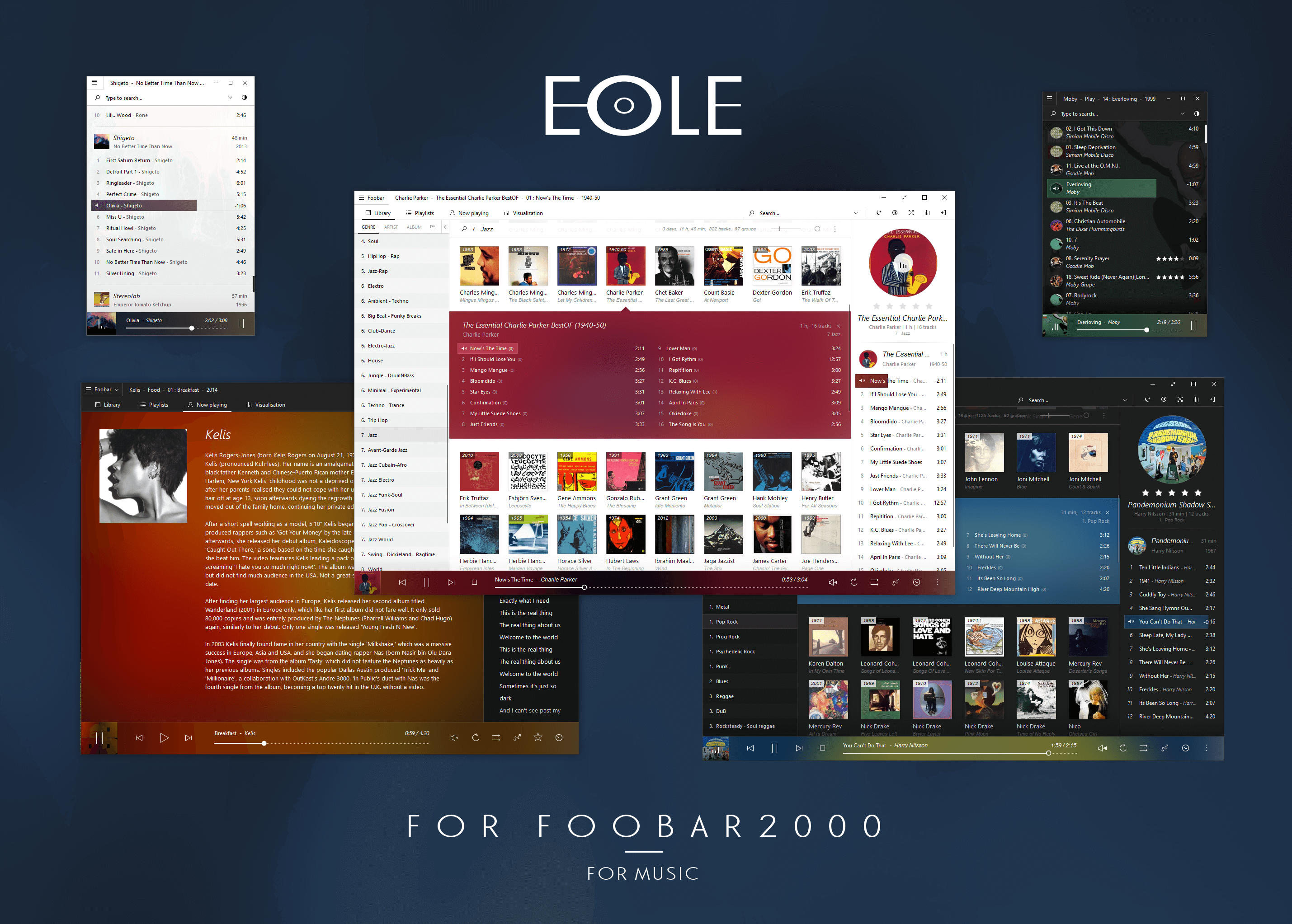
Still miss Zune though. Nothing has come close. :)
§Installing it
A few things to know before you start. Eole only works with foobar2000 32-bit, version 1.4 or newer. The components it depends on flat out don’t work with 64-bit foobar, so don’t bother trying.
You’ll also need Columns UI if you don’t already have it installed.
Once you have that sorted:
- Close foobar completely.
- Download the Eole repository and copy the
user-components,themes, andpluginsfolders into your foobar profile directory.- Standard install:
%AppData%\foobar2000 - Portable install: the
profilefolder inside your foobar directory
- Standard install:
- Open foobar and select
Columns UIas your interface when prompted, or go toFile > Preferences > Display. - In
File > Preferences > Display > Columns UI, clickImportand select[PROFILE_DIR]\themes\eole\columnsUI_eole.fcl. - For visualizations, go to
File > Preferences > Visualisations > Shpeck, point it to[PROFILE_DIR]\plugins\winamp, then go to the Visualization tab, right-click and setMilkdropas the autostart plugin.
That’s it. If the visualizations crash foobar, you’re not alone Shpeck is a bit unstable. You can disable the visualization panel entirely by right-clicking the Visualization tab, going to Settings, and checking Hide visualization panel.
One more thing: Eole builds a cover cache as it goes. First time a cover loads it’ll be slow, after that it’s fast. If you update a cover art file, right-click it in foobar and hit Refresh this image to clear the old cache entry.
P.S. I’m still figuring out some of the panel settings most of them have a right-click menu and a hamburger icon with more options than I’ve had time to dig into. If you want to edit a panel directly, hold
SHIFTwhile right-clicking and hitConfigure. There’s a lot more customization in here than it looks like at first glance. :)