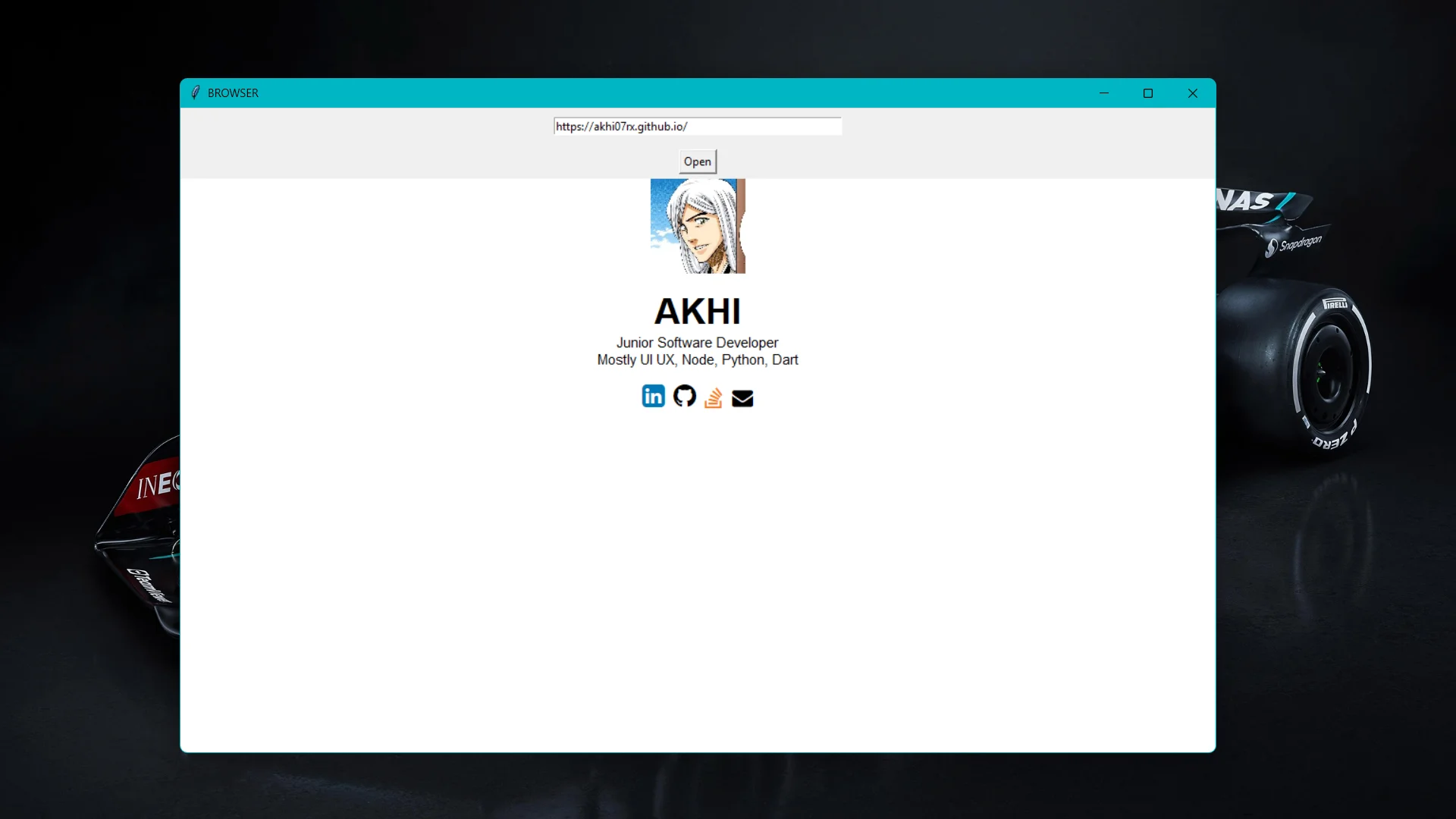
While still working through how Tkinter handles things, I came across tkinterweb, a library that wraps Tkhtml3 and exposes it as a Tkinter widget. The claim that you could get a functioning browser window in under 20 lines seemed worth testing.
tkinterweb is installable via pip install tkinterweb. It works on Windows, macOS, and Linux with Python 3.2 and above.
The whole thing is one widget doing all the work. HtmlFrame handles scrollbars, error pages, and link navigation on its own. The rest is just a window, a text entry, and a button:
import tkinter as tk
from tkinterweb import HtmlFrame

def open_webpage():
    url = entry.get()
    frame.load_website(url)

app = tk.Tk()
app.title("BROWSER")
app.state('zoomed')

entry = tk.Entry(app, width=50)
entry.pack(pady=10)

open_button = tk.Button(app, text="Open", command=open_webpage)
open_button.pack(pady=5)

frame = HtmlFrame(app)
frame.pack(fill="both", expand=True)
frame.load_website("about:blank")

app.mainloop()
18 lines. It opens URLs, follows links, and renders styled pages. That is about as far as it goes.
tkinterweb renders HTML 4.01 and CSS 2.1. JavaScript does not run, which means a large portion of the modern web either breaks or loads a blank page. Sites that serve static HTML work fine. Anything that depends on a JS framework to render content does not. There is no tab support, no history, no address bar updates on navigation.
This was not the point. It was just interesting to see how little code sits between Tkinter and a working browser window, even a limited one. The source is on GitHub.
The JavaScript limitation is the main constraint. Most sites you actually use day-to-day will not render correctly.