At some point my Neovim Lua config had grown to a state where nothing felt obviously wrong but nothing felt clean either. Plugins accumulated, keymaps conflicted quietly, the init file had comments explaining decisions I no longer remembered making. The obvious move was a reset, but the question was what to reset to.
There are a few well-maintained starter configs worth knowing about: AstroNvim gives you a full IDE-like setup out of the box, Kickstart.nvim is a single annotated file meant as a starting point rather than a finished product, and NvChad is more opinionated with its own UI layer on top. All of them are worth trying. The problem is that testing one means displacing whatever you currently have, and going back means restoring it.
Neovim has supported NVIM_APPNAME since version 0.9, released in May 2023. It changes where Neovim looks for its config and data directories, so each value gets a fully isolated environment under ~/.config/ and ~/.local/share/.
The solution is NVIM_APPNAME, an environment variable Neovim reads at startup. Set it to nvim-astro and Neovim looks for its config in ~/.config/nvim-astro instead of ~/.config/nvim. Each named config is completely separate: its own plugins, its own state, no shared data. Your default config sits untouched while you try something else alongside it.
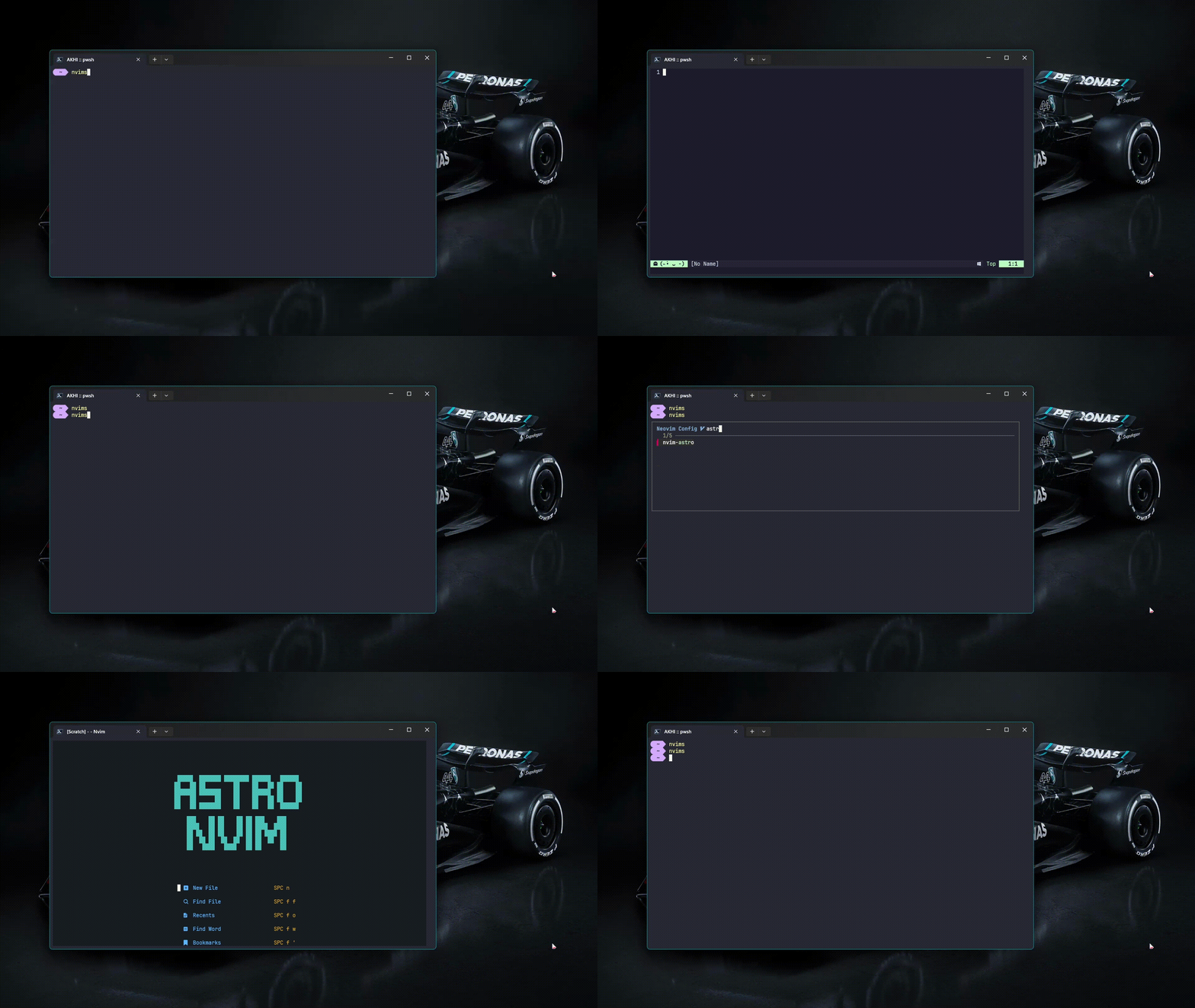
The PowerShell setup is a few short functions and some aliases. The direct ones are straightforward:
function Start-AstroNvim {
    $env:NVIM_APPNAME = "nvim-astro"
    nvim $args
    $env:NVIM_APPNAME = $null
}

function Start-KickstartNvim {
    $env:NVIM_APPNAME = "nvim-kick"
    nvim $args
    $env:NVIM_APPNAME = $null
}

Set-Alias -Name astrovim -Value Start-AstroNvim
Set-Alias -Name kickvim  -Value Start-KickstartNvim
$env:NVIM_APPNAME = $null on exit clears the variable so nothing leaks into the rest of the session. That part matters. If you just set it and forget it, every subsequent nvim invocation picks up the wrong config until you close the terminal.
The more useful version is a picker that uses fzf to choose from a list:
function Select-NvimConfig {
    $configs = @(
        "default",
        "nvim-kick",
        "nvim-astro",
        "LazyVim",
        "NvChad"
    )

    $selected = $configs | fzf --prompt="Neovim Config  " --height 50% --layout reverse --border --exit-0

    if ([string]::IsNullOrEmpty($selected)) {
        Write-Host "Nothing selected"
        return
    }

    if ($selected -eq "default") {
        $env:NVIM_APPNAME = $null
    } else {
        $env:NVIM_APPNAME = $selected
    }

    nvim $args
    $env:NVIM_APPNAME = $null
}

Set-Alias -Name nvims -Value Select-NvimConfig
default is handled as a special case that clears NVIM_APPNAME rather than setting it to the string “default”, which would cause Neovim to look for a config directory that probably does not exist. Everything else maps directly to a directory name under ~/.config/.
Drop both into your PowerShell profile ($PROFILE) and reload it:
. $PROFILE
After that, nvims opens the picker and astrovim or kickvim go straight to their config. Adding a new config to test means cloning it into ~/.config/your-name and adding the name to the $configs array.
The one thing this does not handle is setup. Each config still needs its initial install step: :Lazy sync for Lazy-based configs, the NvChad bootstrap if you’re going that route. NVIM_APPNAME isolates the runtime environment, not the installation process. But once a config is set up, switching between them is just nvims and an fzf selection.