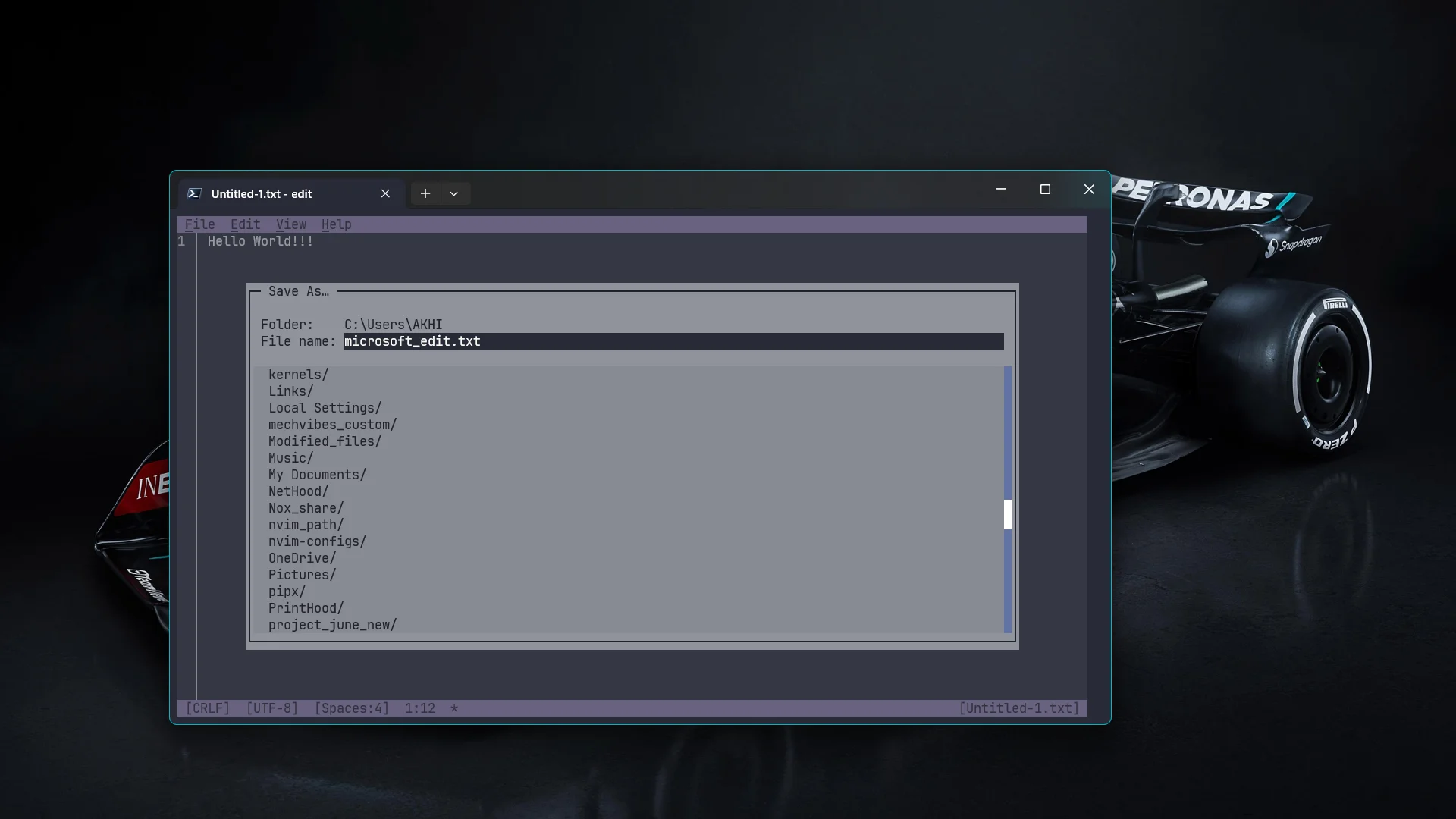
Microsoft shipped a terminal text editor called Edit.
It’s modeless. You open a file and type. No :i to insert, no :wq to quit. Just Ctrl+S to save and Ctrl+Z to undo. The kinds of shortcuts you already know. It pays homage to the old MS-DOS Editor, which is a better design philosophy than most modern terminal editors bother with.
It fills a gap that’s been open for a while. 64-bit Windows dropped the classic editor years ago and never replaced it. Everything else either has no first-party Windows support or is too heavy to bundle with the OS. Microsoft built Edit from scratch in Rust to fix that.
A few things worth knowing about it:
- Open and switch between multiple files with
Ctrl+P - Find and replace with
Ctrl+F, regex included - Mouse support — click, scroll, select text
- Word wrap toggle with
Alt+Z
It’s not trying to be your main editor. It’s for when you’re in the terminal and need to edit something without leaving.
§Getting it
On Windows 11 with the September 2025 update or newer, just run edit and see if it’s already there. If not:
winget install Microsoft.Edit
Also on Linux and macOS. Build from source or check your package repo. Full instructions on the GitHub repo.
References