There’s a class of repetitive task that’s too small to justify a proper script but too tedious to keep doing by hand. Clicking through the same four spots in sequence, repeatedly, because some UI doesn’t expose a shortcut or an API. You either automate it or you accept that your afternoon is now just clicking.
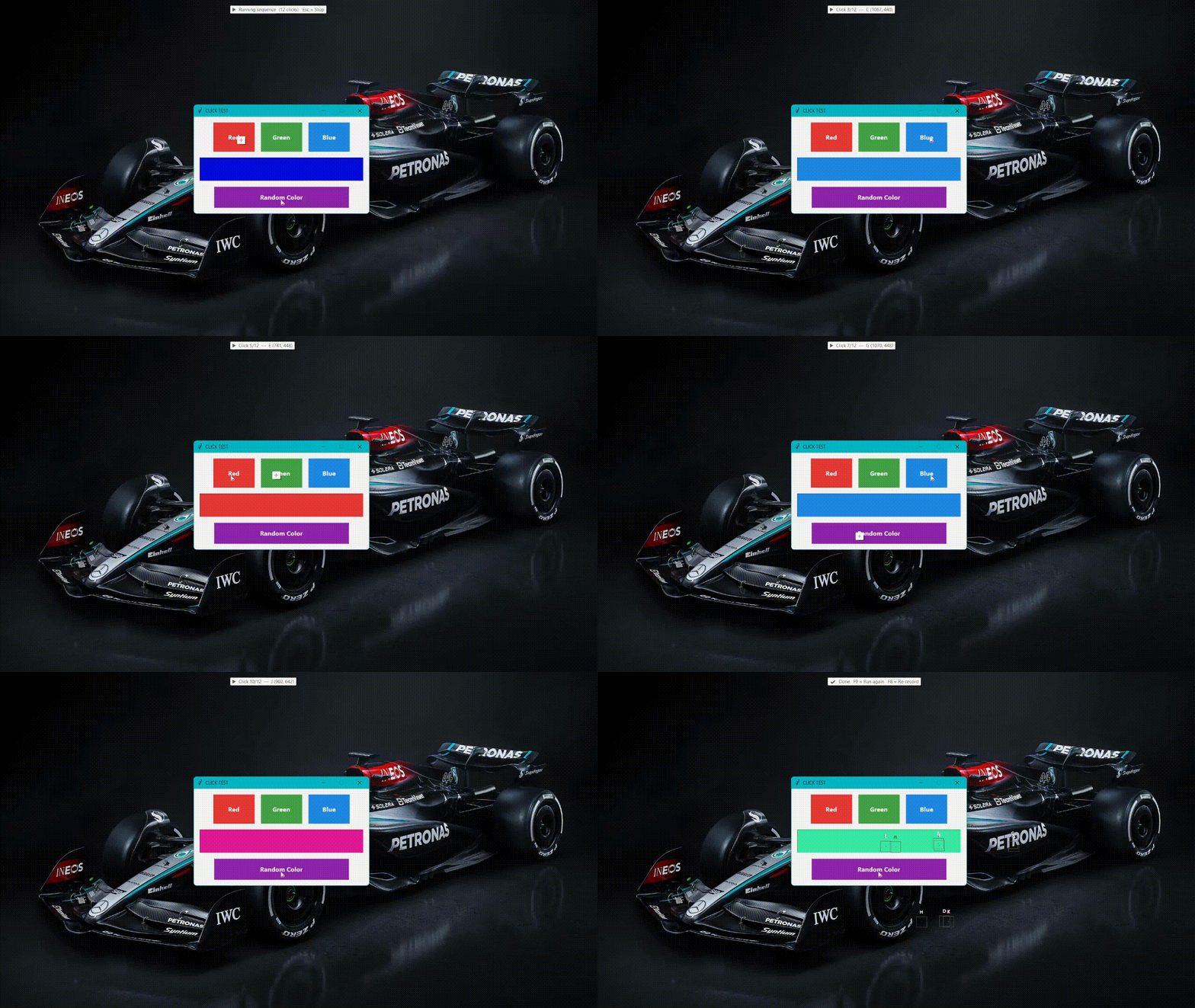
ClickSequencer is an AutoHotkey v2 script that records a sequence of mouse clicks and replays them on demand. Press F8, click the spots, press F9 to stop. Press F9 again to run. No configuration files, no scripting.
Recording is a ~LButton hook that runs while the flag is set. Every left-click gets stored as an absolute screen coordinate, labelled alphabetically, and confirmed with a tooltip.
~LButton:: {
    global recording, points
    if !recording
        return
    MouseGetPos &mx, &my
    points.Push({x: mx, y: my})
    idx := points.Length
    FlashClick(mx, my, idx)
    ShowToast("⏺  Point " idx " recorded  (" mx ", " my ")")
}
When you stop, a full-screen transparent overlay appears over your entire virtual desktop. Each recorded point is a coloured dot (green for the first, red for the last, blue for everything in between) connected by dashed lines in sequence order. The overlay uses WinSetTransColor to punch out the background while keeping the dots visible. The dots are draggable via raw WM_LBUTTONDOWN / WM_MOUSEMOVE / WM_LBUTTONUP messages, so you can nudge a point that landed slightly off without re-recording the whole thing.
Playback hides the overlay so clicks pass through cleanly. Each point gets a crosshair pulse animation before the click fires, and a countdown tooltip shows the wait until the next one. Esc stops it mid-run.
The delay between clicks defaults to 800ms and bottoms out at 100ms. Three constants near the top of the file are the only configuration:
DELAY        := 800   ; milliseconds between clicks
POINT_RADIUS := 14    ; size of the dot on the overlay
PULSE_STEPS  := 12    ; animation frames for the pulse effect
Right-click the tray icon to change the delay without editing the file.
A few things it doesn’t do: only left-clicks are recorded, no right-click, scroll, or keyboard input. Coordinates are absolute screen positions, so recordings are tied to a specific resolution and monitor layout. There’s no loop mode; each F9 press runs the sequence once. The overlay dots are rectangular controls approximating circles, and on some Windows themes they’ll look like squares.
It’s a single .ahk file with no dependencies beyond AutoHotkey v2.
Full code on GitHub: akhi07rx/auto-clicker
note The drag-to-reposition feature is the part most likely to misbehave on unusual multi-monitor setups. If the dots land in the wrong place, re-recording is faster than debugging it.