§Introduction
Jekyll doesn’t ship a copy-to-clipboard button for code blocks. Neither does
kramdown, and neither does Rouge, the syntax highlighter kramdown hands your
fenced code blocks off to. If you’ve seen that little clipboard icon before,
it was probably a theme doing it for you (Material for MkDocs bundles one),
or a tutorial wiring up a JS library like clipboard.js against every <pre>
on the page.
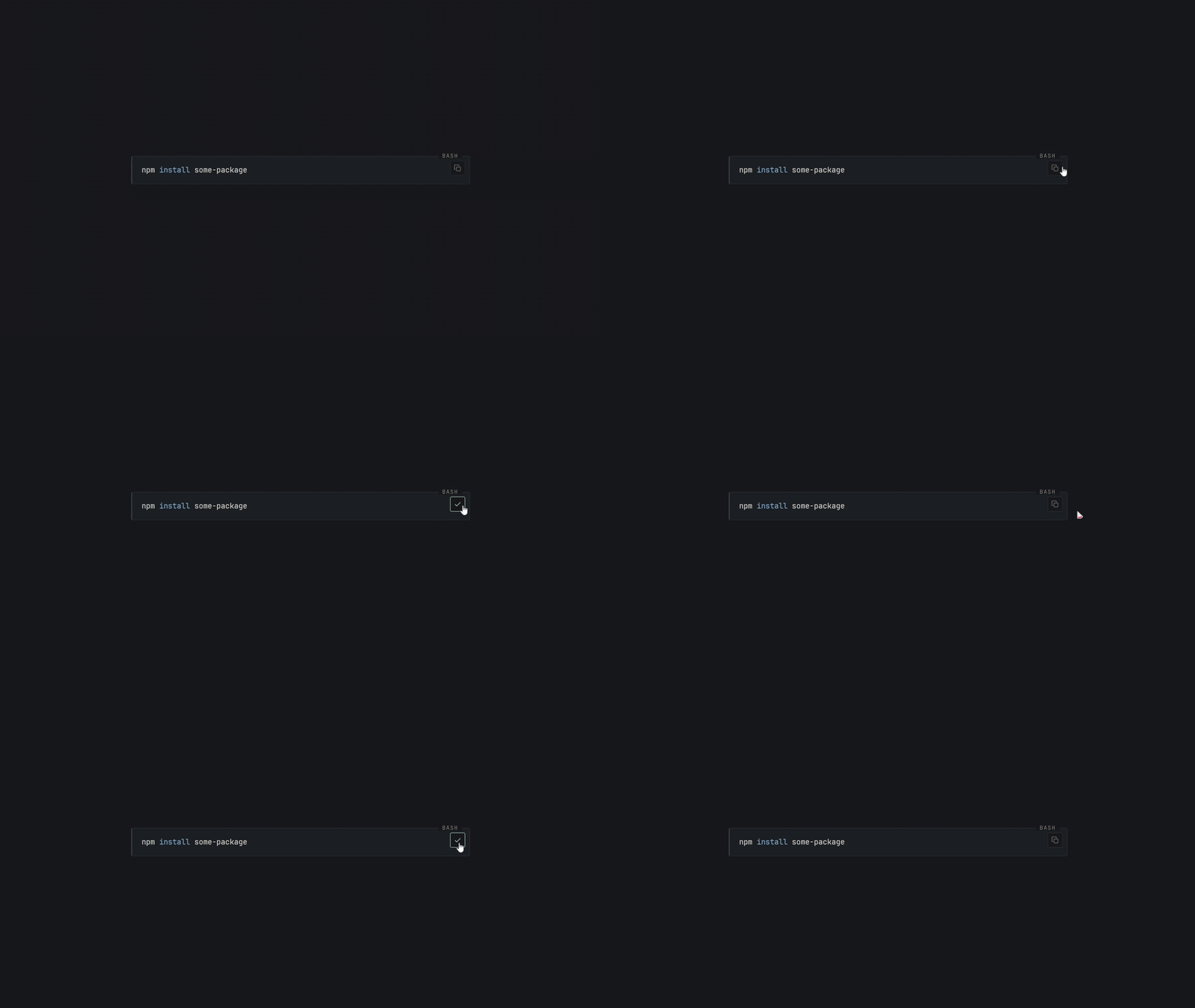
I didn’t really need a copy button on every code block. Many of the snippets I include are simply there to help explain an idea, not necessarily something a reader would want to copy and run. This felt more like a small quality of life improvement than a site-wide feature, so rather than adding a button everywhere and guessing which blocks might be useful, I decided to make it an explicit per block opt-in controlled directly from Markdown:
npm install some-package
Only that block gets a button. Here’s exactly how it’s wired up.
Versions at time of writing
Jekyll v4.4.1, which pinskramdown ~> 2.3(>= 2.3.1) androuge >= 3.0, < 5.0. Everything below about how kramdown merges an IAL class onto the highlighter div comes from reading kramdown’shtml.rbconverter directly an implementation detail, not a documented contract, so it’s exactly the kind of thing a future kramdown release could change without warning.
If a step here stops matching what you actually see, check your own installed version first (
bundle list | grep kramdown) before assuming you did something wrong.
§The trick: kramdown already does the hard part
Kramdown supports an Inline Attribute List (IAL): a line like {: .foo}
directly under a block, with no blank line in between, that attaches a
class to that block. Point one at a fenced code block, and kramdown folds it onto the
very same <div> it already wraps the syntax-highlighted output in:
<div class="language-bash copy-clip highlighter-rouge">
  <div class="highlight"><pre>...</pre></div>
</div>
So {: .copy-clip} isn’t a new mechanism. It’s reusing one that’s already
there. All that’s left is: read that class off during a build-time HTML
pass, and drop a button in.
§Step 1: the build-time HTML pass
If your _plugins directory already has a post-processing hook that walks
rendered HTML with regex (mine does, for margin-note footnotes and heading
anchors), add a method there. If not, a small Jekyll::Hooks.register block
works standalone:
# _plugins/copy_clip.rb
module CopyClip
  COPY_CLIP_BLOCK = %r{<div class="[^"]*\bcopy-clip\b[^"]*"[^>]*>}

  BUTTON = <<~HTML.strip
    <button type="button" class="copy-btn" aria-label="Copy code to clipboard"><svg class="copy-btn__copy" viewBox="0 0 16 16" aria-hidden="true"><rect x="5.5" y="5.5" width="8" height="8" rx="1.4"/><path d="M3.5 10.5h-1a1 1 0 0 1-1-1v-7a1 1 0 0 1 1-1h7a1 1 0 0 1 1 1v1"/></svg><svg class="copy-btn__done" viewBox="0 0 16 16" aria-hidden="true"><path d="M3 8.6l3 3 7-7"/></svg></button>
  HTML

  module_function

  def apply(html)
    html.gsub(COPY_CLIP_BLOCK) { |tag| tag + BUTTON }
  end
end

Jekyll::Hooks.register %i[documents pages], :post_render do |doc|
  next unless doc.output_ext == ".html"

  doc.output = CopyClip.apply(doc.output)
end
One gotcha that cost me a debugging session, if you’re also printing the
language name on your code blocks (mine shows BASH in the corner via a
data-lang attribute, set dynamically per block, so a Python block shows
PYTHON and a PowerShell one shows POWERSHELL, using its own separate
CODE_BLOCK regex and UNLABELLED language list, a feature of its own,
not something this particular post builds from scratch): don’t match that
regex against the exact string language-xxx highlighter-rouge. Once an
IAL adds copy-clip into the mix, kramdown’s own class-merging logic
inserts it between the language and the highlighter class, giving
language-bash copy-clip highlighter-rouge, so an exact-string match
silently stops matching and your language label vanishes right when you
add the copy button. Match on individual class tokens instead, pulling the
language out of the full class list rather than assuming a fixed position:
def code_labels(html)
  html.gsub(CODE_BLOCK) do |full_match|
    classes = Regexp.last_match(1)
    lang = classes[/\blanguage-([A-Za-z0-9_+#-]+)\b/, 1]
    next full_match if lang.nil? || UNLABELLED.include?(lang.downcase)

    %(<div class="#{classes}" data-lang="#{lang}">)
  end
end
Two small things worth being explicit about, since they’re easy to miss on
a first read: the uppercase display (BASH, not bash) isn’t baked into
data-lang. That attribute stays lowercase, exactly as kramdown wrote it.
Uppercase is pure CSS (text-transform: uppercase on the label), reading
content: attr(data-lang) live off the HTML. And unlabelled languages
(text, plaintext, console, output, see UNLABELLED above) never
get a data-lang attribute at all, on purpose: a label reading TEXT or
PLAIN tells the reader nothing a blank corner doesn’t already say.
That |full_match| on the block, and using it instead of
Regexp.last_match(0) on the next line, is not a style choice. It’s a
second bug this exact fix caused, and it bit me for real. Here’s what
happened, because it’s a sharp enough edge that it’s worth knowing about
even outside this project.
The line classes[/\blanguage-([A-Za-z0-9_+#-]+)\b/, 1] runs String#[]
with a regex. That performs its own match internally, against classes,
a small local string rather than the page, and as a side effect it
overwrites Ruby’s global match state (Regexp.last_match, the thing $~
points at). It doesn’t matter that the match happened against an unrelated
string; Regexp.last_match only ever remembers the most recent match,
full stop.
So if the line after that reads next Regexp.last_match(0), expecting “the
whole <div> tag currently being processed”, it doesn’t get that anymore.
It gets whatever the inner regex just matched instead, in this case the
literal fragment "language-text". For any code block using a labelled
language (python, bash, whatever), this never shows up, because the success
path builds its own replacement string by hand and never touches
Regexp.last_match again. It only surfaces on the skip path, unlabelled
languages like a plain text fence, and when it does, the entire opening
<div class="language-text highlighter-rouge"> tag silently gets replaced
by the seven-character string language-text, dumped as raw text right
into the middle of the page. Everything downstream of that div (the inner
highlight wrapper, the code itself) renders fine, because nothing else
touched it. Only the specific line matched by next Regexp.last_match(0)
comes out wrong.
The fix is the |full_match| block parameter above. String#gsub with a
block always hands you the full matched substring as that argument, no
global state involved. It’s a plain local variable, unaffected by whatever
other regexes run later in the same block. The general rule I took away
from this: once you run a second regex inside a gsub block, stop trusting
Regexp.last_match for anything about the outer match: capture what you
need into local variables (the block parameter, or Regexp.last_match(1)
etc. read before that second regex runs) and use those instead.
§Step 2: style the button
The button positions itself off the same .highlighter-rouge div, which
should already be position: relative if you’re printing a language tag on
it:
.highlighter-rouge.copy-clip {
  pre {
    padding-right: 2.3rem; // room so the button doesn't sit over code
  }

  .copy-btn {
    position: absolute;
    top: 0.5rem;
    right: 0.5rem;
    width: 1.6rem;
    height: 1.6rem;
    display: flex;
    align-items: center;
    justify-content: center;
    border: 1px solid var(--rule);
    border-radius: 3px;
    background: var(--paper);
    color: var(--ink-faint);
    opacity: 0.75;
    cursor: pointer;

    svg {
      width: 0.85rem;
      height: 0.85rem;
      fill: none;
      stroke: currentColor;
      stroke-width: 1.3;
    }

    .copy-btn__done { display: none; }

    &:hover, &:focus-visible {
      opacity: 1;
      color: var(--accent);
    }

    &.is-copied {
      .copy-btn__copy { display: none; }
      .copy-btn__done { display: block; }
    }
  }
}

@media print {
  .copy-btn { display: none; }
}
Swap the CSS variables for your own theme’s tokens, obviously. :)
§Step 3: the one script you actually need
Copying to the clipboard has no CSS-only solution. There is no way around some JavaScript here. Keep it small and deliver it with event delegation, so one listener covers every button on the page instead of wiring each one up individually:
// assets/js/copy-clip.js
document.addEventListener("click", function (event) {
  var btn = event.target.closest && event.target.closest(".copy-btn");
  if (!btn) return;

  var block = btn.closest(".highlighter-rouge");
  var pre = block && block.querySelector("pre");
  if (!pre || !navigator.clipboard) return;

  navigator.clipboard.writeText(pre.innerText).then(function () {
    btn.classList.add("is-copied");
    setTimeout(function () { btn.classList.remove("is-copied"); }, 1500);
  });
});
§Step 4: only load it where it’s used
If your site otherwise ships no JavaScript (mine mostly doesn’t), there’s
no reason to load this on every page. Jekyll’s content variable, by the
time your base layout renders, already contains the fully-converted post
body, so a plain string check works:
{% if content contains 'copy-clip' %}
<script src="/assets/js/copy-clip.js" defer></script>
{% endif %}
Posts that never use {: .copy-clip} stay exactly as script-free as they
were before.
(If you’re writing about Jekyll on Jekyll, like this post: any literal
Liquid11No definitive quote nails this down, but the explanation that circulates is a reference to the states of matter, since the engine itself is stateless. A template is parsed once, then poured through different data on every render, taking whatever shape that data gives it. Built by Shopify’s Tobi Lütke around 2005-2006, loosely inspired by Django’s templates, and now used well beyond Shopify, Jekyll included. syntax you want displayed rather than executed
needs Jekyll’s built-in raw tag around it. Liquid processes tags anywhere
in the file before kramdown converts it, including inside fenced code
blocks, so without that, Jekyll won’t show your example. It’ll just run
it.)
§Using it
```bash
npm install some-package
```
{: .copy-clip}
That’s it. No blank line between the closing fence and the IAL, or kramdown won’t attach it.
§One rebuild gotcha
If you’re testing this locally: jekyll serve does not watch
_plugins/ for changes. Edit the Ruby file while the server’s already
running, and it’ll keep executing the old code from memory no matter how
many times you refresh. Stop the server, restart it, then test. Ask me how
I know.
P.S.
P.S. I’m still pretty new to a lot of this, so take the above as “what worked for me,” not “the correct way.” There are almost certainly better and faster ways to do parts of this, maybe a proper JS clipboard library instead of the hand-rolled listener, maybe a cleaner way to hook into the build than regex over rendered HTML. I’m just adapting, trying things, and learning as I go, so if you know a better approach, I’d genuinely like to hear it.